
Flippity Fanatic

Discover Flippity!

Only editable by group admins

  • Last updated February 9, 2021 at 10:30 AM
  • Evidence visible to public
The Doc in "Badge Overview" at the bottom of this page tells you what to do for this badge.

All posted evidence

Flippity Science

This is perfect to use in science class! 
1. Creating groups during lab 
2. Random name caller after working through a set of regents questions
3. Creating partners for turn and talks

The timer is also really great not only for the students but myself included. It keeps us on task and lets me know when we have to start picking up during lab. 
kelly-nuccio Over 1 year ago

Using the random name picker

In my classroom I can use it for many things:
1. Choosing a student to come up for a speaking task (not many volunteer...I know very surprising!)
2. Choosing partners for students when I can tell the class won't pair off nicely
3. Creating random groupings of students and changing it up randomly
4. I like the seating chart option
5. Maybe using it for random vocabulary words for students to define could be fun too!
melanie-mancari Almost 3 years ago

Tasks

Task 1  
Explain 5 things that the random name picker can do or ways it can be used in your own classroom.

  1. Create random grouping for students who work in during class
  2. Random choose students during classroom so all students get called on equally go to run an errand
  3. Use it to help choose students who get to use limited materials ( Chromebooks ot ablets)
  4. Use it to dismiss student to leave or go to an activity random so line up isn't not a issue
  5.  Use it to create grouping for a Jiggsaw 
  6. Print out grouping or lists for Substitutes
  7. Create a Seating chart for the 
Task 2

 List all of the tools that you see yourself using at some point.
  • Flippity Quiz Show- to create quick study guide of terms used to identify rocks and minerals.
  •  Flippity Flexcards- Student can use to look at pictures or video and use them study for the regents ( for example agents of erosion, identifying rocks and 
  • Flippity Timeline- this would be cool if I used to to create a geologic timeline activity for lab
  • Progress indicator- This has limited explanation- but I wonder if i can have the students lab minute progress on 
Task 3:
https://www.flippity.net/pi.php?k=1gQX_oBcED32Gd9WSVWcdXm8wMckuP52h1OqlWV8FZ6k

brittneykessler Almost 3 years ago

Many ways to use Flippity Random Name Picker

One way (which I would use most frequently) is generating a name of a student. This will help call on a student to answer a question, allowing everyone to participate instead of just one student constantly. 
A second way is grouping students. This creates a quick and easy way to pair students or put them in groups. 
A third use is a timer. This is great for all students to see how much time is remaining without having to use different apps or websites. 
The fourth use is the jigsaw. It allows students to work with different students from different group during specific activities. 
A final use that could be used is using this name picker to create a seating chart. It can help you visually see students next to each other, before moving all of the desks. 
avery-evans Over 3 years ago

5 Things the Random Name Picker Can Do


1.  Form student seating charts - Since I won't know any of my students at the beginning of the new school year, I could use Flippity to generate seating charts so that it is completely random to start.  As I get to know personalities and needs, I love that Flippity allows simple adjustments to be made.
2.  Form student groups - I love the ease in which Flippity allows you to change groups or jigsaw groups so that students can work with a variety of their classmates.  I always struggle with forming groups, so this will be a huge time saver to make the initial groups, and I can adjust as necessary.
3.  Randomly select students  - I am not a huge fan of randomly calling on students, but I could use the random name generator to provide an order for when all students know in advance they will have to share, present, etc.
4.  Print the groupings - It seems pretty simple to print the random groups that are generated and this could come in handy to leave for subs, use it for checklists for students, etc.
5.  Set a timer - When giving students a timed task, they will be able to view how much time they have left with their groups, partners, etc.
chelsey-lawson Over 3 years ago

Task 1

Ways to use Flippity:
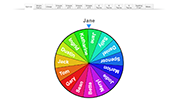
1. Random name picker using the spinner
2. Use the line up tool to call on students in random order
3. Using the group tabs to make random student groups of certain sizes
4. Can pre-make groups and print for a substitute if needed
5. Display a timer
brianna3 Over 3 years ago

Task One

1. Random Name Picker

2. Create Random Groups/Teams

3. Jigsaw Groupings

4. Create a Seating Chart

5. Line Organization
devon-carroll Almost 4 years ago

Task 1

Five things the Random Name Picker can do:

1. Import your class roster via sheets and use Flippity to randomly select a student to be called on.
2. Create a random lineup of students; Could be used to establish an order for presentations, for example
3. Create random groups/teams, along with the ability to customize easily move around particular students
4. Use the jigsaw feature to easily switch groups and report out during a jigsaw activity
5. Create a seating chart for your class and print it out 
sarah-joseph Almost 4 years ago

Flippity Task #1 (Jeremy Roberts)

5 things the Radom Name Picker can do that Mrs. Ferre's video showed were.

1. Random Name Spinner - This tool is used for random selection when answering questions or carrying our a task. This tool helps to keep all students engaged because they must be prepared if called upon. I can see myself using the Spinner while doing test review for my Life Guarding course.

2. The Line Up - Displays all students name in a random order. This visual can assist elementary students while lining up or dismissing from class.   

3. Groups Feature - This feature uses your class roster to create random groups of 2,3,4,& 5 students.
In the P.E. setting I see myself using the Groups feature for creating groups while doing our Fitness stations and Team Building activities.

4. Teams Feature - The Teams feature allows teachers to use their class roster to create up to five Radom teams. 
This feature is very convenient for a P.E. Setting. I see myself using it to create random teams for our Team Sport Units such as Volleyball and Football. 

5. Seating Chart - This feature takes your class roster and puts it into a random seating chart. This feature would be nice in a PE during the second semester of the class to rearrange students into different exercise spots so they can socialize with different classmates.


jeremy-roberts Almost 4 years ago

Uses of Random Name Picker

According to Ms. Ferre's YouTube video, the Flippity Random Name Picker can be used to randomly choose students for reading, discussion, activity etc; to put students into groups or teams, such as for Jigsaw activities; to line up or dismiss students; for seating charts; for or timers; and can even be printed for yourself or to leave with a substitute teacher.  
cristy-carey Over 4 years ago

Flippity

5 things on how I would use the random name picker in my classroom:

  1. I would use the random name picker to call on students randomly; I find this to be very challenging for me. In the past I have used popsicle sticks, but I like this idea better because I can put the spinner on the board and we can watch as a class the name that gets picked. 
  2. I would also use the random name picker to choose a line leader. Again, trying to find a system where a line leader is not repeated can be tricky however, I think that the name picker could make things a lot easier for me.
  3. I would use the 'Groups' tab on the random name picker to form small groups for my lessons. 
  4. I would use the random name picker for when there is more than one student who wants to use/play with something and they have to take turns. For example, I would use the name spinner for when students wanted to sit in my inflatable chair during independent reading time. 
  5. Lastly, I would like to use the timer on the random name picker when my students are working in groups. This way I am able to keep the groups of students names on the board while also displaying how much time is left too. 
shelby-carrigan Over 4 years ago

This badge is great! It was so easy to make the page

1. The random name picker would be great for creating random turn taking when answering questions during speech class. 
2. This could be used to work on formulating sentences and questions with peers, by grouping the students and having them work together on a topic. 
3. The visual timer could help give students a visual to help them formulate a response in a specific amount of time. 
4. Instead of using the spinner for student names, I could put category names or target speech words that the students will have to say, 
5. I could use the spinner to pick a student to choose a game, book or activity during the speech session to help give the students some control and incentive, the faster we work through a task the quicker another student could pick an additional activity, game, etc. 
shawna-fox Over 4 years ago