Thinktech - Level 1: Getting Started

Make a multi-task lesson

Only editable by group admins

  • Last updated January 25, 2021 at 9:26 AM by paul-szymendera
  • Evidence visible to public
Make a multi-task Thinktech lesson using at least 4 different tools.

In this Task:

  1. Watch the two videos (see below) to review how to create Thinktech tasks.
    1. Single Task Launch  
    2. Build a Multi-Task Lesson

Resources:


Your Task:

[1] Make a multi-task lesson using at least 4 different tools.
    1. Check iT
    2. Think iT
    3. Poll iT
    4. Sketch iT
    5. Sort iT
    6. Speak iT
    7. Quiz iT

Evidence of Learning:

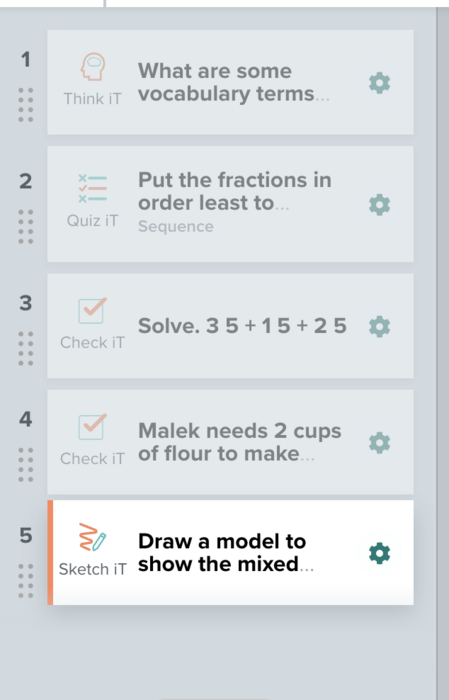
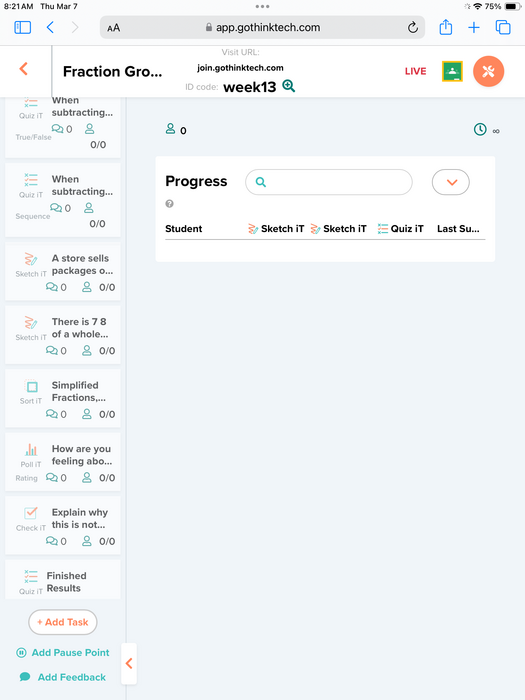
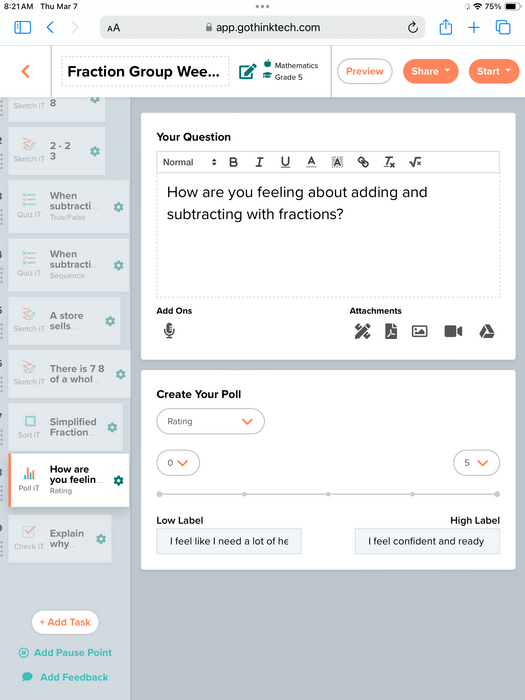
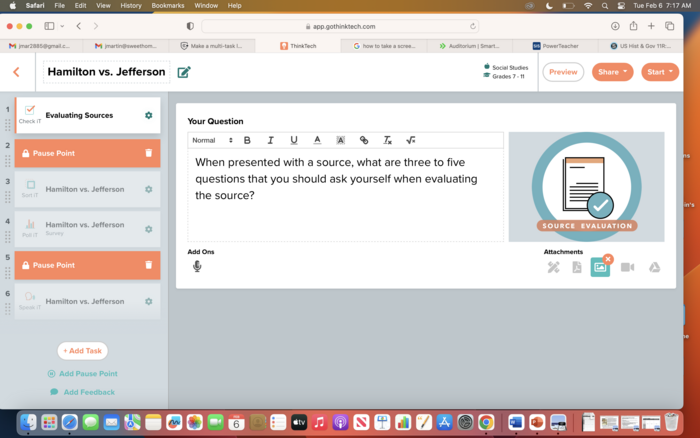
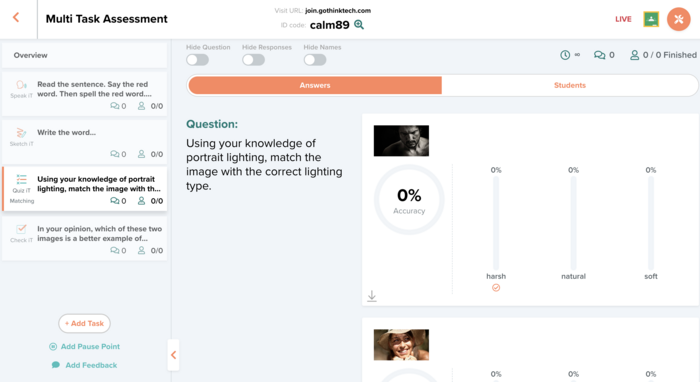
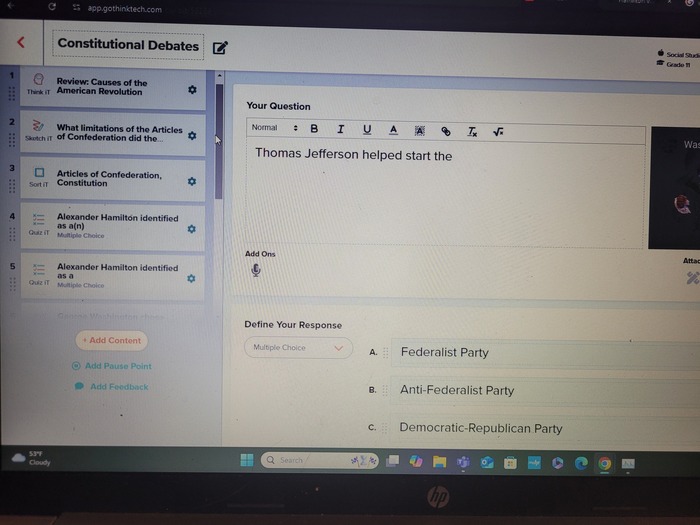
[1] Submit a pic of your "teacher timeline" (that shows the tasks) on the left of your launched lesson.
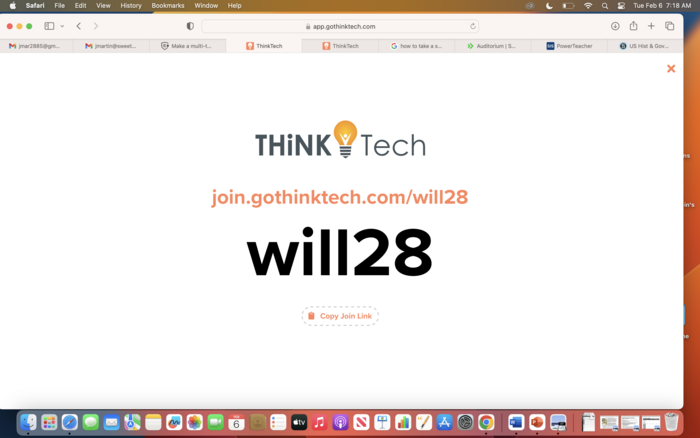
[2] Submit the launch code.  Please keep the lesson "live" until you receive your badge.

http://www.gothinktech.com

All posted evidence

Visit URL: join.gothinktech.com ID code: kind71

sarah-wright About 1 year ago

Here is my screenshot for evidence

kathleen-may Over 1 year ago

Upload issue

I tried to upload my multi-task lesson and was unable to post it or share publicly. I am not sure why - perhaps because I have a  live lesson already?
kathleen-may Over 1 year ago

Here is the image of my multi -task activity

There was a problem processing this image, the file may be of an invalid format.

Uploaded Filename: Screenshot 2024-04-14 at 5.15.32 PM.png

kathleen-may Over 1 year ago

Fraction Check In Lesson with multiple tasks.

Gothinktech

ThinkTech

ThinkTech
ashley-bell Over 1 year ago

Posted Image

ashley-bell Over 1 year ago

Posted Image

whitneyray Almost 2 years ago

Posted Image

whitneyray Almost 2 years ago

Posted Image

martjd28 Almost 2 years ago

Posted Image

martjd28 Almost 2 years ago

Posted Image

kpiurek Almost 2 years ago

Think Tech Leadership Role Application

Gothinktech

ThinkTech

ThinkTech
lkennedy Almost 2 years ago