
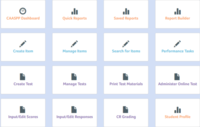

When grading a constructed response question in EADMS you first select the CR icon. At this point you can see all of the test questions and directions that the students sees. You are provided with a sample response and a 0,1,2,3 rubric for grading. Once you mark the student's score. When you finish, you are able to change the question you are grading. This allows you to move quickly and seems more manageable.
