Schoology 3.2 Creating Enhanced Questions

Creating Fill in the Blank Questions - Part 1A

Only editable by group admins

  • Last updated March 8, 2021 at 9:57 AM by sweethome
  • Evidence visible to public
Learn how to craft a Fill in the Blank question using one of the new formats in assessments, drag & drop, text, or pulldown menu.

Step 1:

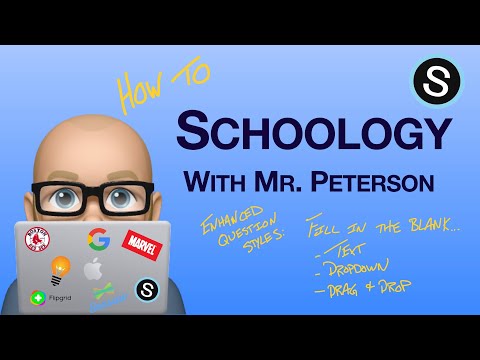
Watch the video below (7:09) to learn how to create the 3 different fill-in-the-blank question styles in the Schoology Assessments tool.


Step 2:

Using the text response feature, explain why this type of response may be an improvement in your assessment practice.

All posted evidence

This options provides yet another modality for students to share what they know about content.

susanl About 2 months ago

Part 1A- Fill in the Blank Questions...

This type of question is definitely an improvement in my assessment practice because it enables students to have choice (like a MC question); it allows them to see the correct spelling (since spelling can obviously be an issue for a number of our students); it allows the teacher to collect data and information on how the students responded to the fill in the blank question (what kind of answers they put down; whether they were correct or not); it also allows the teacher to reuse the same questions from class to class (or year to year), or it allows the teacher to create more simple or complex questions for future use.
martjd28 Almost 2 years ago

How is this an improvement

These type of response are an improvement in my assessment practice because I will often have students who, on a regular fill in the blank question set up, might misspell a word or write things in the wrong order compared to how I generated my answer key and schoology will mark them incorrect.  With this set up, I am still able to generate a more complex question without having to go through and correct the auto grading.
kpiurek Almost 2 years ago

Fill in the Blank Questions

These types of questions on Schoology allow a student to answer a question but also to see any misconceptions they may have about a topic.  It helps determine where a student is on a topic and helps a teacher to see if further instruction is necessary.  While setting these up is a bit time-consuming on the front end, in the long run, it makes assessment easier for future classes as they can be reused.
chrissy Over 2 years ago

Benefits

I like that this type of assessment gives the ability to have a "partial correct" answer. For my ELLs, spelling is often a problem - therefore having the ability to have an answer that is partially correct allows them to feel successful even if the answer isn't exactly correct. I also like that there would be an opportunity for ELLs to translate answers from their language into English and then respond to Schoology assessments. 
jessica-sears Over 2 years ago

Valuable addition to assessments.

Fill-in-the-blank question style in the Schoology Assessments tool offers several benefits, making it a valuable feature for educators and learners for the following reasons:
1. Promotes critical thinking: Fill-in-the-blank questions require learners to recall and apply their knowledge, rather than simply selecting an option from a list. This promotes critical thinking skills as students must engage in higher-order cognitive processes to generate the correct response on their own, rather than relying on memorization.

2. Encourages active engagement/ learning: Fill-in-the-blank questions require learners to actively engage with the content and actively retrieve information from memory. This promotes active learning, which has been shown to be more effective in retaining information compared to passive learning methods.

3. Supports personalization: Fill-in-the-blank questions allow educators to create questions that are tailored to their specific instructional goals and learning objectives. Educators can design questions that reflect the unique needs and abilities of their students, making assessments more relevant and meaningful.

4. Provides flexibility: Fill-in-the-blank questions can be used in a variety of subject areas, including language arts, science, math, and social studies, making them versatile for assessing different types of knowledge and skills. Additionally, Schoology's Assessments tool allows for customizable question formats, including partial credit options, making it flexible to suit the needs of different assessments and grading policies.
naryanp Over 2 years ago

Part 1a

This type of response is an improvement because the assessment features allow teachers to gather information, data and feedback in various ways. In Global 10 we use these functions for maps, document analysis, tests, etc. It super easy to create, quick to use and user friendly for the kids. In AP USH I also use this function for vocabulary quizzes, to assess both content and non content specific vocabulary words. It’s a great tool.
mbruce Over 2 years ago

Benefits

The Fill in the Blank assessment will be extremely beneficial, especially for our DI & EL students.  When we often have matching questions or a word bank of options in Global History.  I have noticed that many students tend to get overwhelmed with the vocabulary banks.  This style of questioning will help students eliminate choices and reduce the anxiety of multiple options to choose from.  It was also nice to see that case sensitive features can be turned off when students are asked to type their answers out.

   Dana Liberta and I both teach Global 10 at the high school.  We have used the Drag and Drop assessment multiple times for Maps and Political Cartoons.  Students have expressed how much easier these tasks are to complete  on Schoology than traditional paper.  They can physically see where the possible answers/locations are on the images we upload.  
cutzig Almost 4 years ago

Benefits

I have been a long time fan of the assessment features in Schoology for multiple reasons.  I use it regularly for formal tests, for introductions to lessons, and for maps/document analysis.  The pull down options for answers help narrow focus towards responses I am looking for in Global.  In specific topics Global history there are sometimes very fine details that separate correct from incorrect responses.  Small details that students over look.  By narrowing response choices in these topical areas I find it an innate way to narrow the focus to what they are missing.  
The drag and drop feature is super beneficial in Global when it comes to document usage and analysis.  I have used it for simple map labeling to political cartoon analysis.  I love to give students ideas or symbols to look for in cartoons or images and they match it to the representation.  All of these features increase student interaction with the historical material making it more meaningful and engaging. 
dliberta About 4 years ago

Differentiation is always a good thing.

Even in this digital age, my assessments are on paper (or thinktech) quite often. I think having a drag and drop option is quite useful because;

1- The students are reading then they are right at the end of the sentence. They do not have to go hunt 5 or 6 lines below for text.

2- Dragging and dropping can eliminate a choice once it is matched where students may not always cross out the text of correct or incorrect responses.

3- You do not need to visualize, the cursor is right over your response.
dtracz About 4 years ago

Benefits for Sped

It seems like a way to manipulate mc? to reduce the guessing factor. Especially, when the kids have to physically drag/drop answers.  I also appreciate the ability to make answers match what I am looking for.  In science, we use so many acronyms, procedural steps and flow's that having the ability to see when and where errors or mastery is occurring.
epaemkb Over 4 years ago

Benefits

Using the new fill in the blank question types in the enhanced assessments will allow me to have kids create answers to questions that illuminate errors that the old fill in the blank used to have happen all the time such as spelling capitalization or punctuation problems.
brent-peterson Over 4 years ago