Performance Matters 102

Part 1 Creating an assessment in PM.

Only editable by group admins

  • Last updated December 8, 2023 at 11:52 AM by sweethome
  • Evidence visible to public
Let’s use the items that you created while taking Performance Matters 101 to craft an assessment that you will give to your students.

In this Task…

You will learn how to use created items from the Performance Matters 101 Badge to create an assessment.

Your Task…

  1. Use the test Items you have created in PM 101 to construct an assessment:
    1. Create a new assessment  - https://youtu.be/LnF0OeqgLr8 (2:16)
    2. Choose your test administration options - https://drive.google.com/file/d/1XAGOtIPQMUp9rkfU3xA9avVOEuwIzLg8/view?usp=sharing (2:06)
    3. Set Test Permissions so others can use the assessment - https://drive.google.com/file/d/1CNS0yXgwaXlcOsbCt15jMCn5lJEJWodb/view?usp=sharing (3:28)

Evidence of Learning…

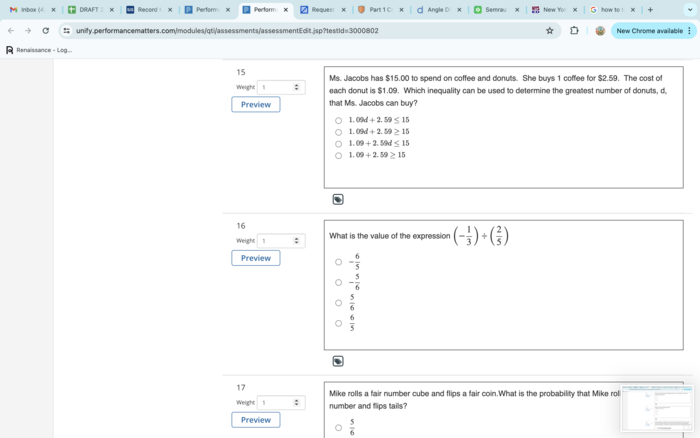
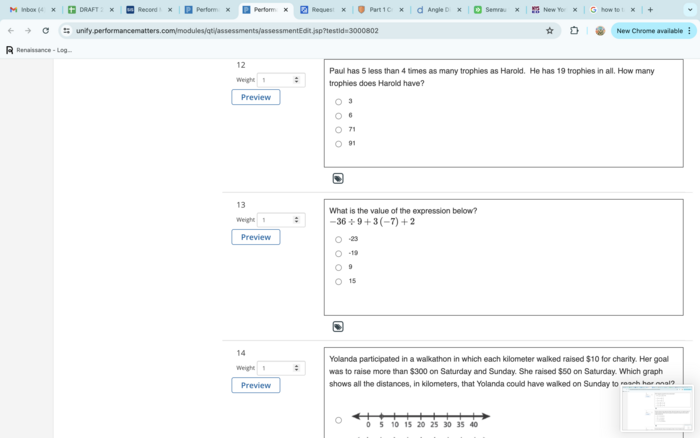
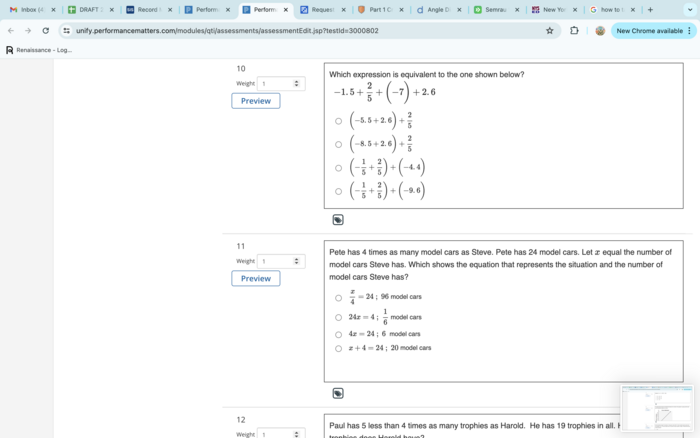
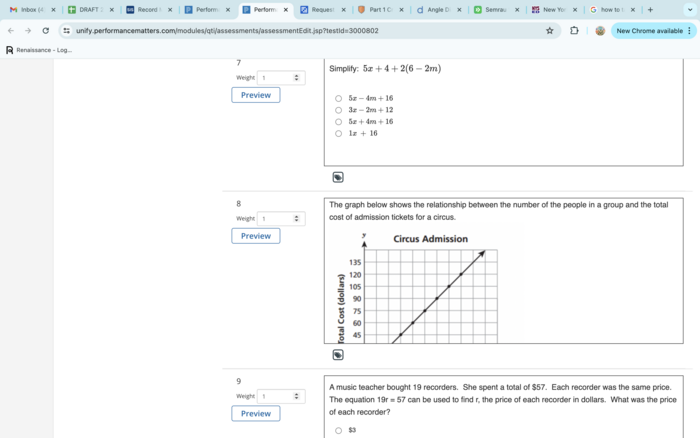
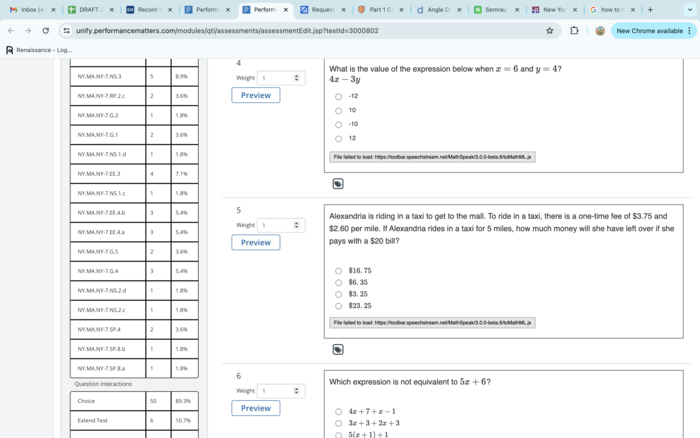
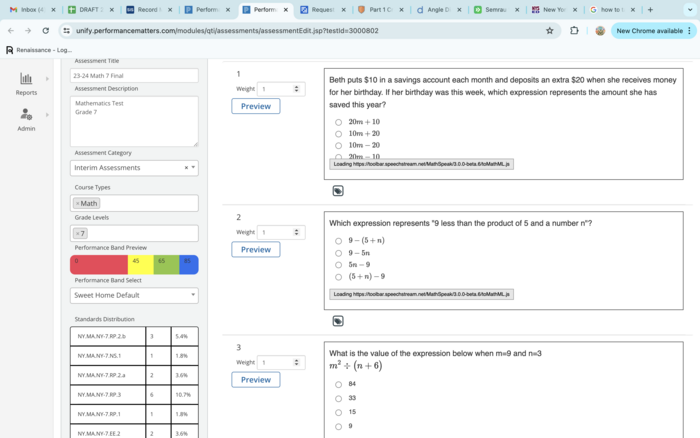
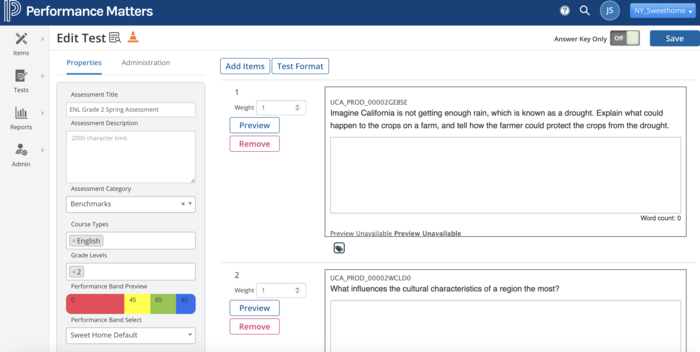
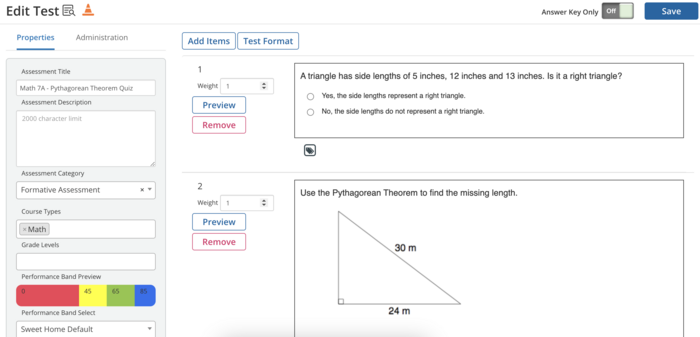
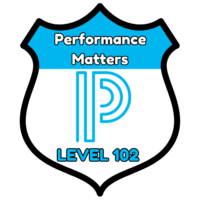
Submit a screenshot of your assessment with questions added. This may be multiple images if you have a number of questions or 1 if you are giving a smaller assessment.

All posted evidence

Math 8 Final Exam 2024

denea-czapla Over 1 year ago

Posted Image

There was a problem processing this image, the file may be of an invalid format.

Uploaded Filename: Screenshot 2024-06-15 at 11.22.49 PM.png
denea-czapla Over 1 year ago

Test Screenshot Part 6

rachaelsemrau Over 1 year ago

Test Screenshot Part 5

rachaelsemrau Over 1 year ago

Test Screenshot Part 4

rachaelsemrau Over 1 year ago

Test Screenshot Part 3

rachaelsemrau Over 1 year ago

Test Screenshot Part 2

rachaelsemrau Over 1 year ago

Test Screenshot Part 1

rachaelsemrau Over 1 year ago

Part I - Assessment Creation

jessica-sears Over 1 year ago

Posted Image

julie-ceccato Over 1 year ago

Posted Image

jennyheidinger Over 1 year ago

Pdf of online test

kathleen-may Almost 2 years ago