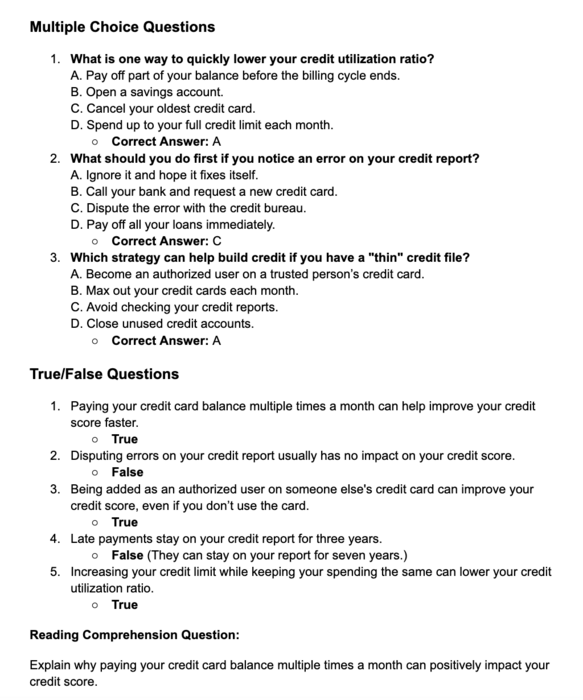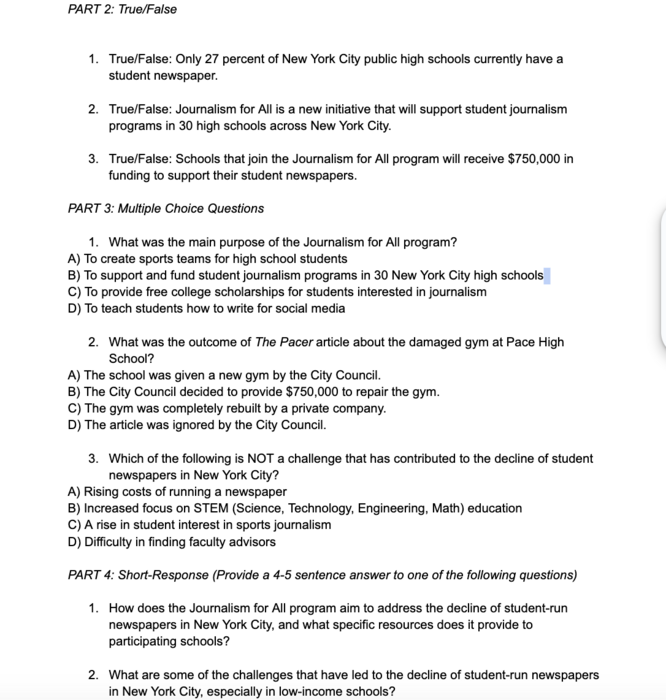
ChatGPT generated assessment questions for classroom materials.
In this Task...
You will learn how to develop assessment questions (you may discover that ChatGPT needs to be edited and fact-checked!). You will also explore how to use ChatGPT as a tutor for students. For example, prompt GPT to explain rational for correct and/or incorrect responses so your students have greater context.
Your Task...
Create Assessment questions for your students to use in any digital assessment tool of your choice (Schoology, Thinktech, etc.)
- Watch the Video: ChatGPT 2 and 3 (WATCH 02:55 - 06:22) https://drive.google.com/file/d/1c04X-4eQ804tpDq_venbFFoFdl655fSR/view?usp=sharing
- Your Turn - Prompt ChatGPT to:
- Create True/False question
- Create Multiple Choice questions
- Create a reading comprehension question on the topic
- Create a short answer response question on the topic
- Prompt ChatGPT to explain why each response is correct
- Prompt ChatGPT to explain why the distractor choices are incorrect
- Copy and paste various readings, questions and materials that ChatGPT provided into your own Google Doc or platform of choice. Edit items to suit your needs. You will use this doc for your evidence of learning. Good Luck~
Evidence of Learning...
- Upload pic(s) of your finished questions in the platform (Google Doc, Thinktech, Schoology, etc) you used in step 5.