
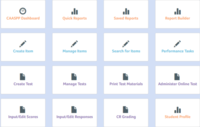

One of the best things about the reports is that teachers are able to breakdown the test and see how an entire class or just a student did on specific common core standards and on specific questions of the test. You must have your window closed in order to run reports. First you can select the report builder and just get the scores for your students. If you see your item analysis or your strand summary. You can have it create graphs to bring to your PLC's so that each teacher can compare the progress of students in different classes. The item summary will allow you to see how each student is doing on the different questions on the test. When you look at the reports it's important to remember that the smaller tests will skew the reports. All this information can be useful to take to your PLC and talk to your team members. This helps teachers know if they need to reteach a specific standard or maybe a specific type of question. For example maybe all students are struggling on the constructed response questions.
